












UX/UI · Sound · Interaction Design
Resonance
Assemble a mechanical watch with sound.
Follow three simple sounds and watch the movement come together. Your volume drives the parts; silence holds them in place.
The interaction, first
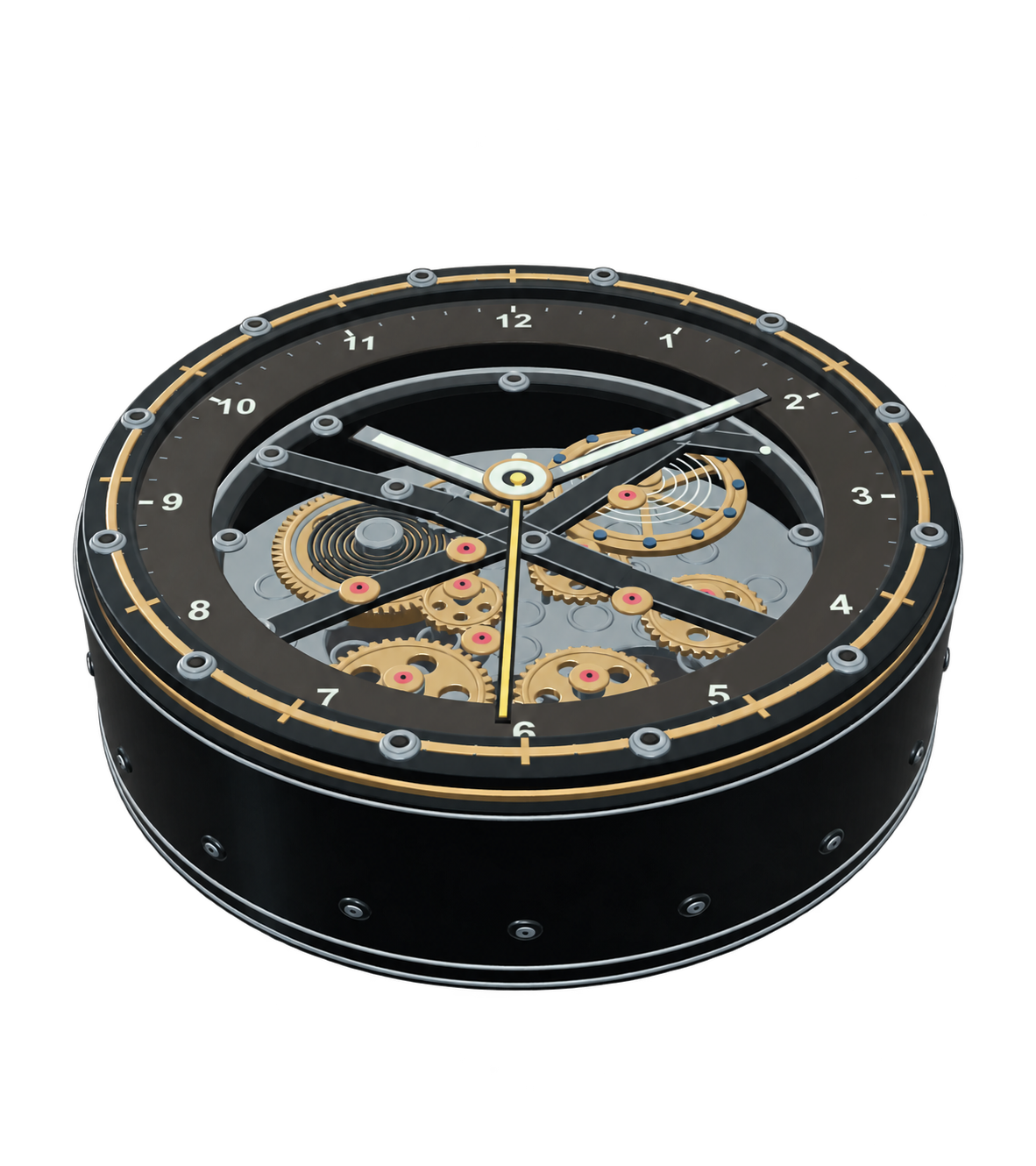
A sound-controlled watchmaking experiment. The waveform shows what the mic picks up; the movement shows what changed. Sustain a comfortable sound to assemble, pause for breath to hold, then resume.
01 · The design question
Can sound make a complex object feel tangible?
The question was how to make an unfamiliar input understandable without a hand gesture or a spoken command. A mechanical timepiece gives sound a visible consequence: separate components draw together into a working movement.
The design target is a clear cause and effect between sound, motion and pause. It remains a target for validation, not a measured usability outcome.
02 · Sound → motion → hold
Let the object show what it heard.
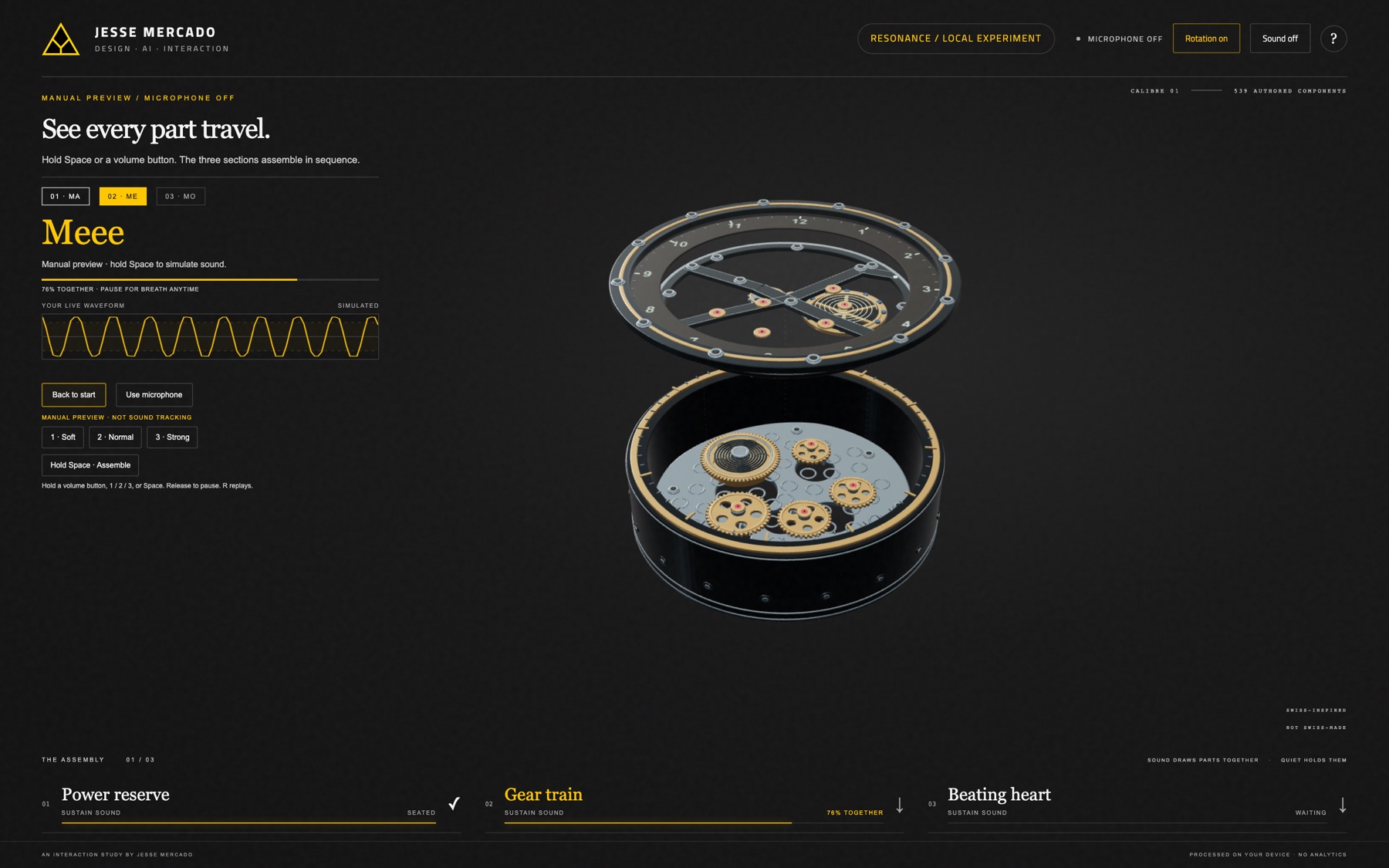
After explicit microphone consent and a brief room-level check, volume controls the assembly. Stronger comfortable sound moves the parts faster. Silence holds progress, giving the viewer room to breathe.
Maaa → Meee → Mooo are optional prompts for the three sections. The system measures volume, not words or musical pitch. The live waveform, volume meter and section progress provide feedback together.
03 · The assembly sequence
One section at a time.
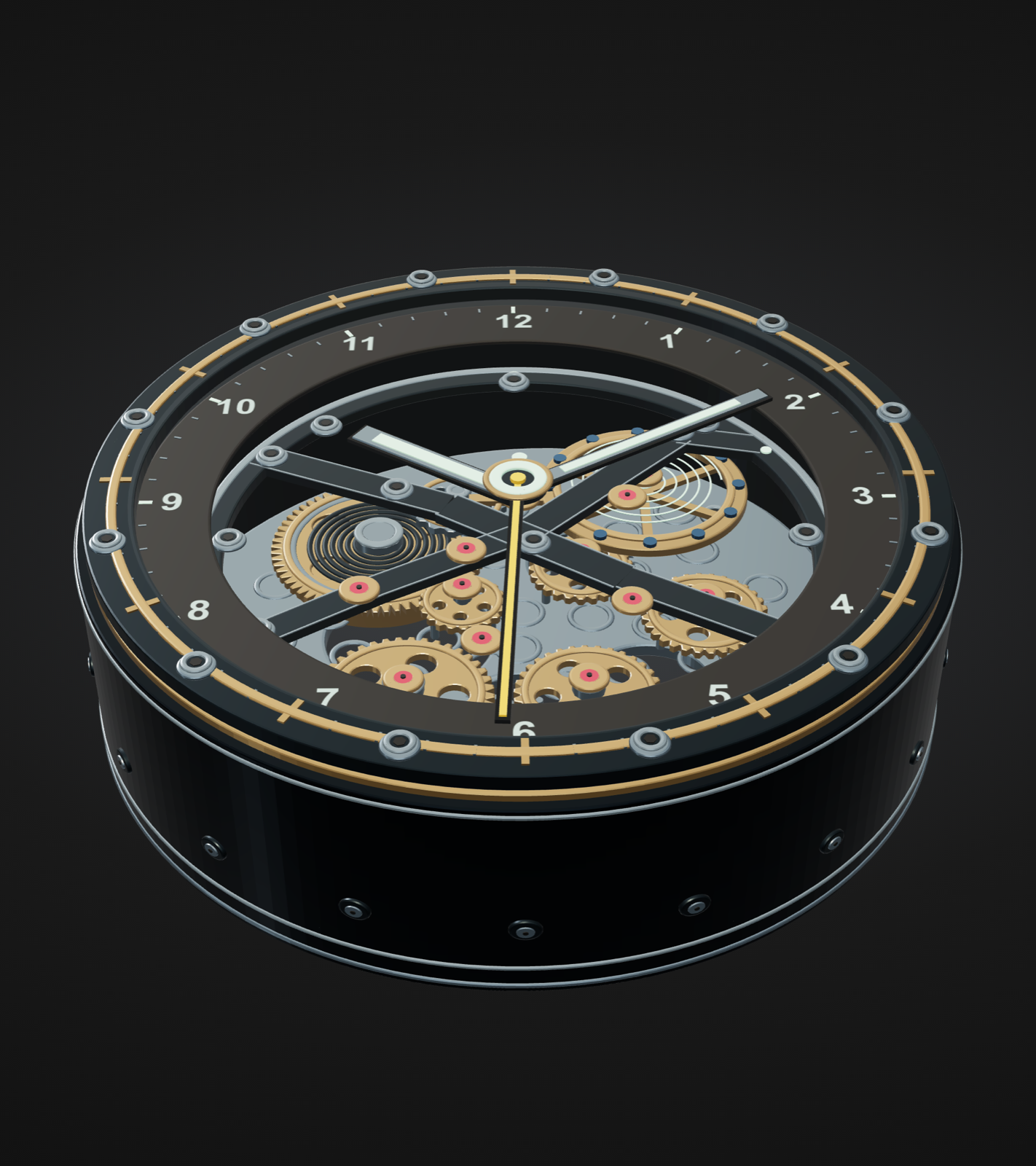
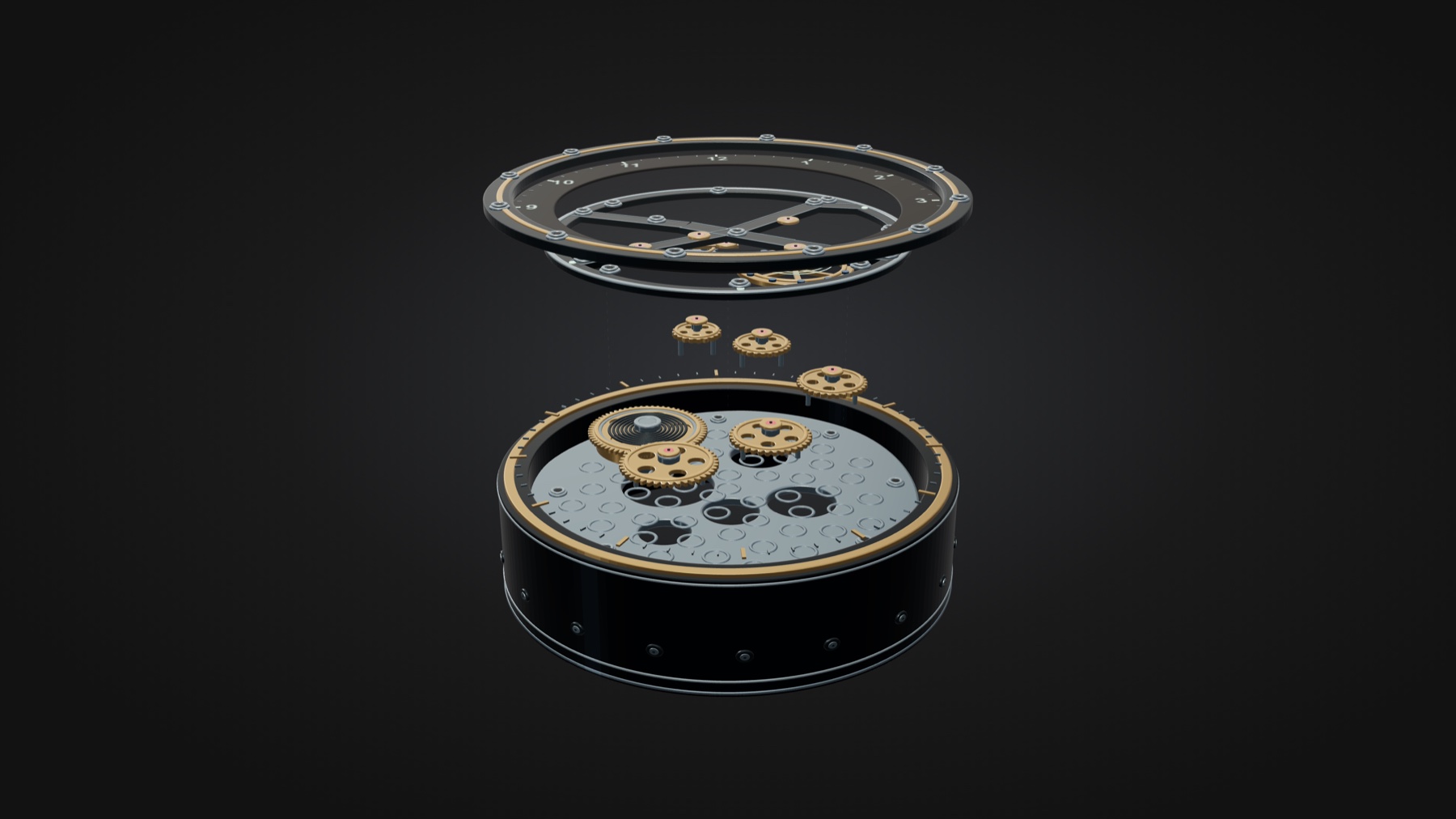
The power reserve, gear train and beating heart assemble in order. Parts seat along authored paths; the bridge closes before the dial and bezel. Stage-based camera views reveal the movement from different angles.
The scene contains 539 authored mesh components, including exposed gears, bearings, screws, rivets and open bridges. It is a conceptual movement, not an engineering-validated watch mechanism.
04 · A running movement
Assembly becomes time.
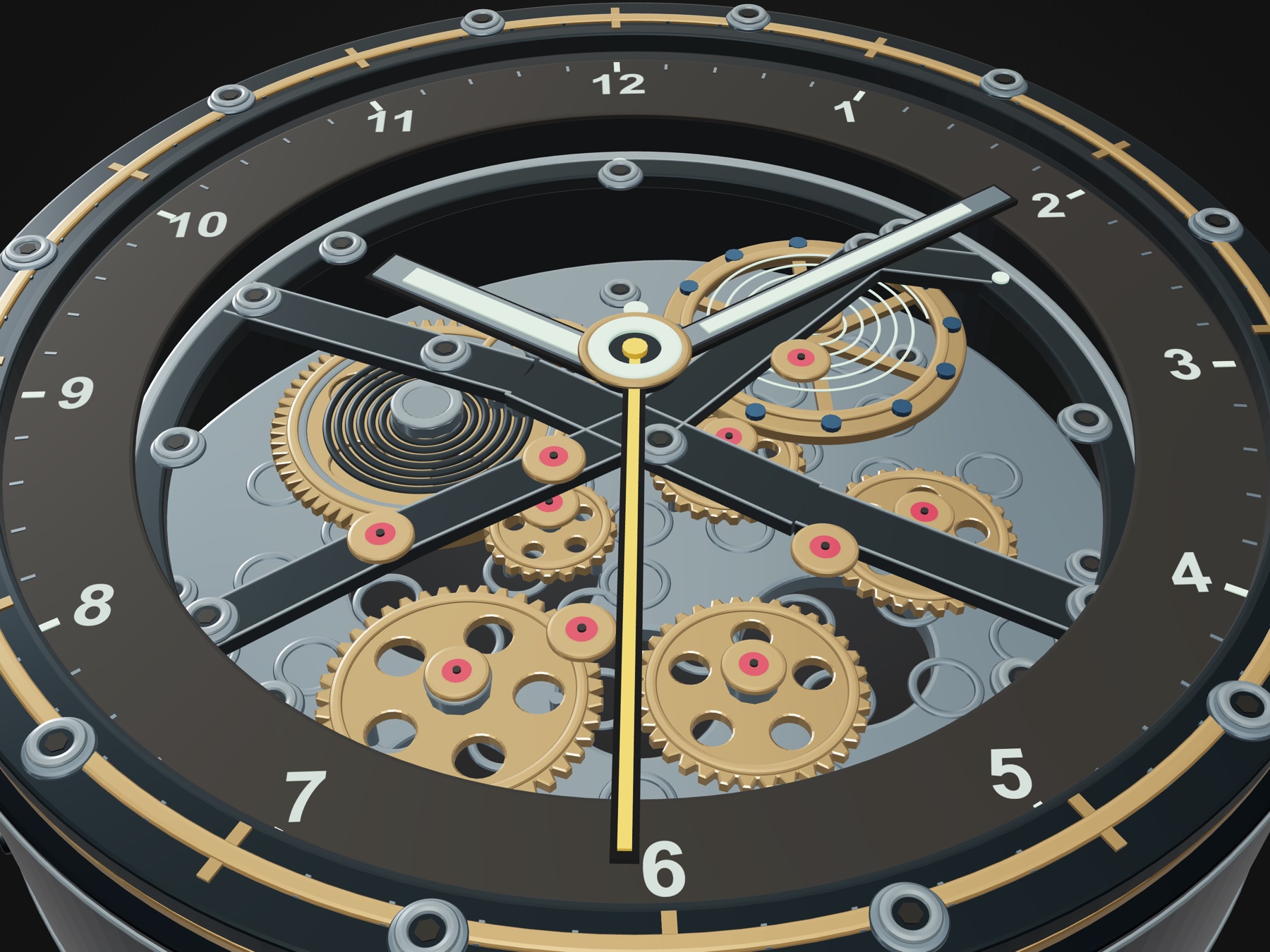
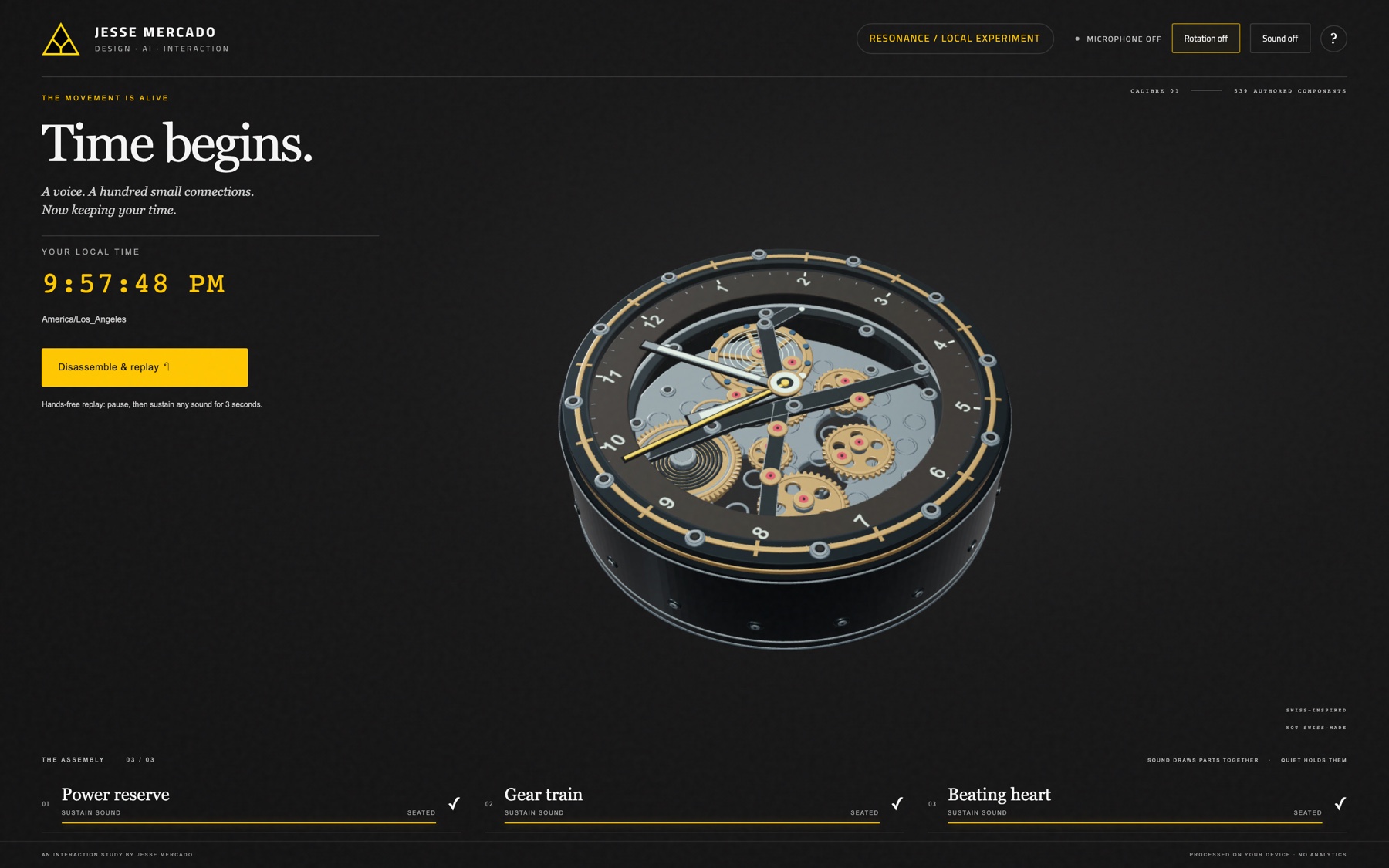
Once assembled, the hands derive their positions from the viewer’s device-local clock. The seconds hand sweeps continuously; the digital readout uses 12-hour time with AM/PM and displays the device’s time zone.
The complete timepiece rotates slowly and can be paused. Optional mechanical ticking starts off. The modern case stays freestanding and glow-free, with contrasting hands and a legible 1 to 12 dial.
05 · Implementation and control
A small, local sound system.
JavaScript, Three.js/WebGL, Web Audio, AudioWorklet, a Web Worker and a Canvas waveform power the experience. The public prototype is hosted on Vercel over HTTPS.
The microphone starts off, requires consent and has a Stop control. Audio is processed locally without recording, upload or retained voice samples. The prototype uses no camera, speech-recognition service, pitch classifier or analytics.
The keyboard/touch preview uses explicitly simulated volume. Reduced motion disables whole-object rotation by default while retaining the functional assembly.
06 · Evidence and next validation
A working prototype. A reliability question.
What was checked
Public access, layout and generated-audio assembly were checked. Software checks exercised progression, pausing, automatic seating, replay, local AM/PM time, rotation controls and the camera-free preview. These are implementation checks, not usability results.
What still needs validation
Real-microphone performance has not been verified. The next step is to observe comfortable real-voice input, quiet pauses and ordinary background noise across devices and microphones. Background noise can trigger volume-based input.
This is an experimental interaction, not a certified accessibility tool, a Swiss-made product or an engineering-accurate watch simulation.
Make the response visible before claiming reliability.
A novel input only feels intuitive when the object tells you what it heard and what changed. RESONANCE makes that relationship inspectable through movement, waveform feedback and a visible pause.